

How to Avoid Facebook Virus: Simple Ways to Stay Safe
If you want to know how to avoid Facebook virus attacks, the most important rule is simple: don’t click suspicious links or messages, even when they appear to come from a friend.
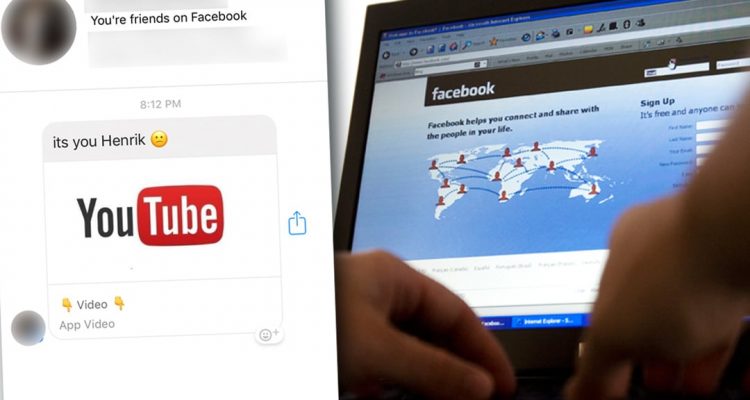
Facebook scams and malware can spread through compromised accounts, fake videos, suspicious links and phishing pages. A message such as “You look funny in this video” may seem harmless, but clicking the link could take you to a malicious website or a fake login page.
Don’t Click Suspicious Facebook Messages
One of the easiest ways to protect yourself is to stop before clicking.
Be particularly careful with unexpected messages such as:
- “Is this you in this video?”
- “You’ve been caught on camera.”
- “Look at this funny video.”
- “Click here to see your photo.”
Even if the message comes from someone you know, their Facebook or Messenger account may have been compromised.
If a message looks unusual, contact your friend another way and ask if they really sent it.
Keep Your Computer Protected
Learning how to avoid Facebook virus threats also means keeping your computer protected.
Make sure Windows, your web browser and other software are regularly updated. You should also use reliable and up-to-date antivirus or anti-malware protection.
Never install an unknown program or browser extension simply because a website tells you that you need it to watch a video or open a file.
If your computer becomes unusually slow, displays unexpected pop-ups or behaves strangely after clicking a suspicious link, you may need professional help. Our [PC & Mac Repair service] can help with malware, spyware and virus detection and removal. PC & Mac Repair service
Be Careful With Facebook Login Pages
Some Facebook scams don’t immediately download a virus. Instead, they take you to a fake Facebook login page designed to steal your username and password.
Before entering your Facebook password, check the website address carefully. If the page looks unusual or you arrived there through a suspicious message, close it and access Facebook directly.
Never enter your password simply because a pop-up or message tells you that your account needs to be verified.
What If You Already Clicked a Suspicious Link?
Don’t panic. Close the suspicious website and avoid downloading anything it asks you to install.
If you entered your Facebook password on a suspicious website, change your password as soon as possible and review your account security.
If you think your computer has been infected, our [computer repair services] can help diagnose malware, spyware and virus-related problems. Computer Repair Services
You can also read our [FAQs About Computer Viruses and Virus Removal] for more information about common computer virus problems.
Simple Rules to Remember
The best way to avoid Facebook virus and similar online threats is to think before you click.
Remember:
- Don’t click unexpected Facebook links.
- Don’t download unknown software.
- Don’t enter your password on suspicious websites.
- Keep Windows and your browser updated.
- Use updated antivirus or anti-malware software.
- Contact your friend separately if a message looks unusual.
A few seconds of caution can help protect your Facebook account and your computer from malware and phishing attacks.